How to read the Fox ESS app: your solar, battery and grid at a glance (2026)
The Fox ESS app (FoxCloud 2.0) explained: the power-flow screen, kW vs kWh, battery %, the charts, work modes, an overnight charge window and alarms.
Electrical ExchangePublished · Updated · 8 min read


The quick answer
The Fox ESS app is FoxCloud 2.0, free on the App Store and Google Play. Its main screen is a live power-flow diagram: arrows show electricity moving between your solar panels, battery, home and the grid, and the figures on it are power in kW. The battery's state of charge is a percentage, and the daily, monthly and yearly charts add up energy in kWh. Work modes such as Self-use, Feed-in Priority and Back Up decide what the battery does, and the Mode Scheduler lets you set a Forced Charge window to match a cheap overnight rate.
The Fox ESS app is FoxCloud 2.0, and once you know where to look, it shows what your solar panels are making right now, whether the battery is charging or running the house, and what you’re taking from or sending to the grid. Here’s how to read each screen, the work modes, a cheap overnight charge window and the alarms.
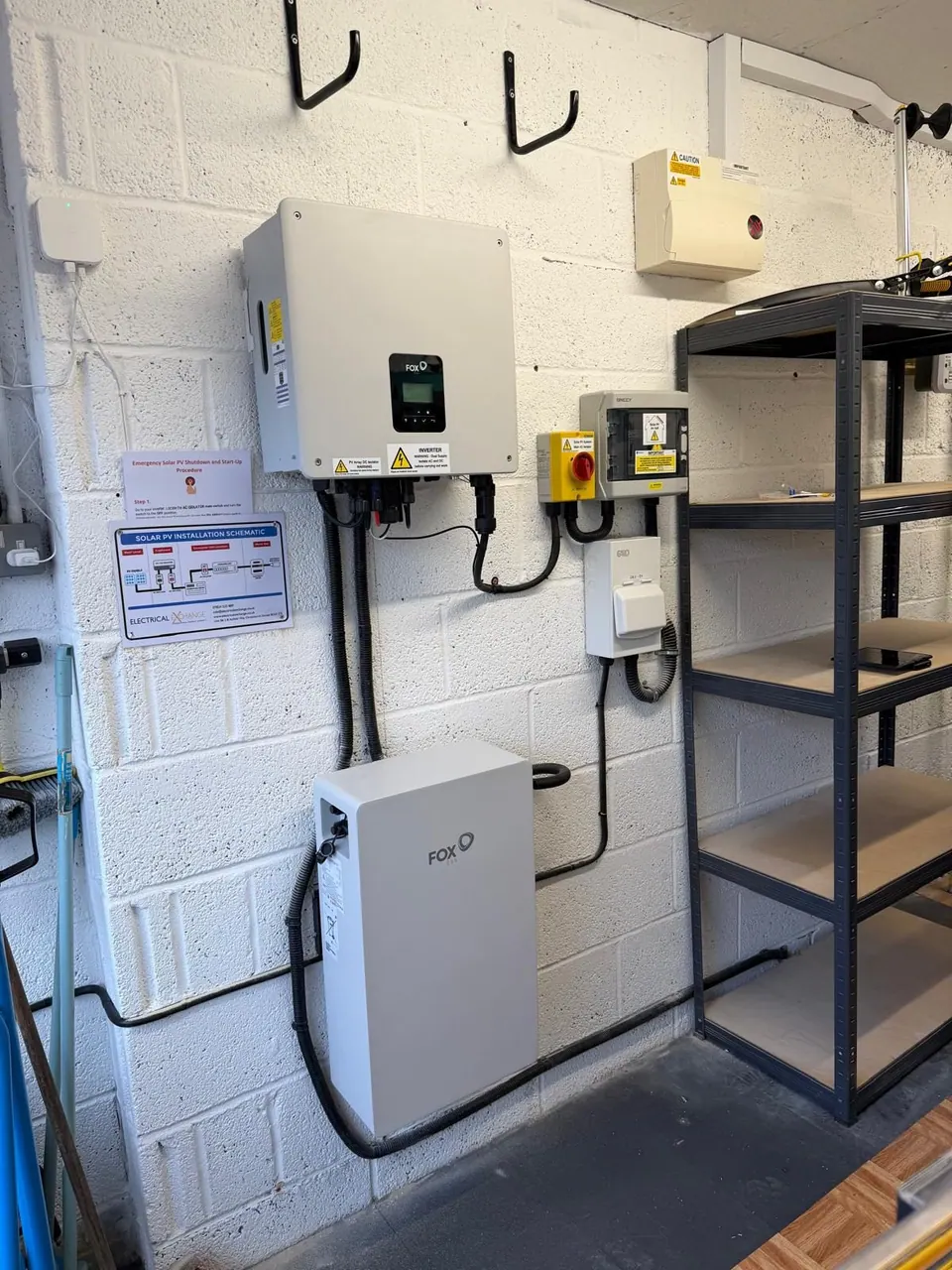
Fox ESS is the battery make you’ll see most in our own work from our Christchurch base; see the Fox ESS inverters and batteries we fit. Everything here about the app comes from Fox ESS’s own documents, and Fox ESS notes that features vary by device and app version.
Which app is the Fox ESS app?
It’s listed as FoxCloud2.0 on the App Store and Google Play, published by Foxess Co., Ltd and free. The iPhone version needs iOS 15 or later; Fox ESS’s February 2026 manual asks for Android 7 or later.
Fox ESS calls each home system a “plant”. An owner account gets one automatically, or an installer creates it and invites you by email or QR code. Fox ESS’s quick guide strongly recommends asking your installer to help with the first set-up.
The power-flow screen: solar, battery, home and grid
The Plant tab, labelled Home on an owner’s account, shows the system status, a power-flow diagram, today’s production and consumption, revenue and the weather. Each part of your system has an icon, joined by arrows. Fox ESS’s manual says the arrows represent power flow, their direction showing which way it’s travelling, and the Google Play listing says the flow updates every 5 seconds.
| Arrow | What it means |
|---|---|
| Solar to home or battery | Your panels are generating and that power is being used |
| Battery to home | The battery is discharging to run the house |
| Grid to home | You’re importing from the grid |
| Home to grid | You’re exporting to the grid |
The home and grid figures rely on a meter, and the manual warns that its current sensors (CTs) fitted the wrong way round or in the wrong phase order can make the diagram and data inaccurate. If the flow looks back to front, such as exporting at night with the battery empty, tell your installer.
kW or kWh? Reading the numbers
The figures on the arrows are power. Ofgem defines a kilowatt (kW) as “a measure of power i.e. the rate at which energy is transferred or converted”, and Fox ESS’s data reference lists solar input, home load, grid import and export, and battery charging in kW.
The totals and charts are energy, in kilowatt-hours (kWh). Ofgem’s example: a kilowatt-hour is what an installation with 1kW of power capacity generates in an hour, or a 2kW one in half an hour.
| What you’re looking at | Unit | What it tells you |
|---|---|---|
| Figures on the power-flow arrows | kW (power) | How fast electricity is moving right now |
| Battery level | % (state of charge) | How full the battery is |
| Today’s totals and the charts | kWh (energy) | How much was made, used, stored or traded over a period |
Good to know A kW reading on the power-flow screen is the rate at that instant; the kWh totals are the amount so far.
State of charge and the battery’s limits
The battery’s figure is its state of charge (SoC), as a percentage; Fox ESS’s data reference also lists a state of health (SoH) percentage. Quick Settings holds the limits:
- System Min. SOC: discharging stops here while you’re connected to the grid.
- System Max. SOC: charging stops here while connected to the grid.
- Backup Cut-off SOC: discharging stops here during off-grid operation.
If the battery stops at a set level and the grid takes over, check the minimum first. Quick Settings also holds Import and Export Limits: leave those alone. SSEN, which runs the local network around Christchurch, says it puts any export limitation scheme its design team decides you need into the connection offer.
The energy charts: day, month and year
Tap Today Production or Today Consumption to open Analysis. Fox ESS UK says you can view trends by day, week, month or year, and its quick guide adds a lifetime view and defines the terms:
| Term in the app | Fox ESS’s definition |
|---|---|
| Production | Energy produced by solar |
| Self-Consumption | Load powered by solar, plus battery charging |
| Export | Exported to the grid |
| Consumption | Load consumption energy |
| Self-Sufficiency | Load powered by solar, plus battery discharging |
| Grid Purchase | Imported from the grid |
If your battery was added to the solar panels you already have and they run through another maker’s inverter, the manual says their output shows in Analysis as Gen Load.
Expect the monthly bars to swing with the seasons. At Hurn, the nearest Met Office climate station to Christchurch, the 1991–2020 averages are 234 hours of sunshine in July against 61 in December, and 1,779 hours a year. Generation doesn’t track sunshine hours exactly, but a short December bar beside a tall July one is normal. In winter, when panels make less, charging from the grid off-peak helps, and the batteries we fit for Christchurch homes can do both.
Fox ESS app work modes compared
Work Mode, on the Plant screen, decides what the battery does. Fox ESS’s February 2026 manual lists four basic modes, plus two you can only pick inside the Mode Scheduler:
| Mode | What Fox ESS says it does | Suits |
|---|---|---|
| Self-use | Solar runs the home, surplus charges the battery, then exports; the battery covers the home when solar falls short | Using your own electricity first |
| Feed-in Priority | Solar runs the home, surplus is exported; the battery charges once the feed-in limit is reached | An export tariff |
| Back Up | The battery charges to the backup SoC you set and holds it | A reserve for power cuts |
| Peak Shaving | Below a threshold SoC, the battery only helps when demand passes your import limit | Avoiding peak demand charges |
| Forced Charge (scheduler) | Charges the battery from solar and the grid | Off-peak tariff periods |
| Forced Discharge (scheduler) | Battery and solar supply the home and export | Exporting at a chosen time |
Fox ESS’s February 2026 manual says its AI Mode was then available only in the Netherlands. If you’d rather use surplus at home than export it, a diverter that sends spare solar to your hot water is another route; our myenergi eddi review looks at one.
Setting a cheap overnight charge window
In the Mode Scheduler you set start and end times for each period and choose its mode; a forced charge stops once the battery reaches the SoC you set:
- Find your tariff’s off-peak hours on your bill or your supplier’s website.
- In Work Mode, open the Mode Scheduler and add a period covering those hours.
- Choose Forced Charge and set the SoC you want the battery to reach.
- Set the Remaining Time Work Mode, which runs outside your periods, usually to Self-use.
For example, Octopus Energy’s Flux tariff for solar and battery owners publishes a super cheap period from 02:00 to 05:00 every day and a peak rate from 16:00 to 19:00 (checked 23 October 2026). On that tariff you’d set Forced Charge from 02:00 to 05:00, and perhaps Forced Discharge from 16:00, which Octopus calls “the optimum time to discharge your battery and export surplus energy back to the grid”.
The tariff plan you enter (up to 96 slots on a manual plan, says Fox ESS UK, or a supplier’s smart tariff in the UK) is what the revenue figures are worked out from; in the basic work modes, charging times come from the Mode Scheduler.
Good to know Your tariff plan feeds the revenue figures; the Mode Scheduler sets the charge window.
Back Up mode and power cuts
Back Up mode only keeps the lights on if your system was wired for it. Fox ESS’s H1-G2 inverter manual says that when the grid is off, the system can supply emergency power from solar or the battery through its EPS (backup) output, and which circuits sit on it depends on the wiring at installation. Depending on region and devices, Quick Settings may offer StormSafe Charging, which forces a charge in advance when an extreme weather alert is received.
If the power goes off and your neighbours are off too, report it online or call 105, the free number for your local network operator. If a power line is down and someone is in danger, dial 999.
Alarms and fault codes: what they mean
The alarm section, at the top of the Plant screen, splits alerts into Current and History. Fox ESS’s H1-G2 manual explains each alarm, but it’s written for qualified electricians, and many fixes involve disconnecting the panels, battery and grid: not homeowner jobs.
| Alarm | What the manual says | What to do |
|---|---|---|
| Grid Lost Fault | The grid is lost; the system reconnects when it’s back to normal | Check for a power cut; call 105 |
| Grid Volt Fault, Grid Freq Fault | Grid voltage or frequency out of range | Should clear when the supply is normal; if not, call your installer |
| Bat Power Low | The battery power is low | Wait for it to recharge |
| Meter Lost Fault, BMS Lost | Communication with the meter or battery interrupted | Call your installer |
| Iso Fault, Res Cur Fault | Isolation failure, or high residual current | Don’t touch the system; call your installer |
| Bms Temp High, Bms Volt High | Battery over temperature or voltage | Call your installer |
When to call your installer
The app manual’s opening note says remote operation through the app can’t serve as evidence that a circuit is safe; that needs an on-site inspection. Call your installer when:
- an alarm points at isolation, residual current or the battery;
- a fault keeps coming back;
- the power flow looks wrong;
- the system shows offline after you’ve checked your Wi-Fi (the manual says to use 2.4GHz, as set-up may fail on 5GHz, and you can reconnect under Me, then WLAN Configuration);
- the yearly safety check is due: the H1-G2 manual says a qualified technician should do one at least every 12 months.
We talk you through your new system at handover and stay on hand if you need us after the install.
So, how do you read the Fox ESS app?
In short: arrows for kW now, a percentage for the battery, charts for kWh over time, and the work mode and Mode Scheduler for your tariff. If you’re still choosing, our solar battery storage service pairs every battery with its inverter and sets them up together, with or without panels, and we fit battery systems for Poole homes as well as around our base on Airfield Way.
To see what the Fox ESS app could show for your home, book a free survey and we’ll look at your usage and where a battery could go.
Questions we're often asked
- Is the Fox ESS app free?
- Yes. FoxCloud2.0 is free on the App Store, where Foxess Co., Ltd is listed as the developer, and it's on Google Play too. On an iPhone it needs iOS 15 or later. Fox ESS's manual lists valid account details and a stable internet connection among the requirements for logging in.
- Can I check my Fox ESS system on a computer?
- Yes. As well as the phone app, Fox ESS UK says you can reach your system through its secure web portal, Fox Cloud, in a browser. A bigger screen makes the daily, monthly and yearly charts easier to compare side by side, which helps when you're comparing one month or year with another.
- How do I give my installer access to my Fox ESS app?
- On the Plant screen, open the menu in the top-right corner and choose Associated Installer. The app generates an invitation link for you to send to the installer, who opens it, enters their username and agrees. Fox ESS describes this as the way to enable after-sales support and ongoing plant management.
- Why can't I change my battery's minimum charge level in the app?
- Check whether the Mode Scheduler is switched on. According to Fox ESS's manual, battery settings in Quick Settings are locked while a schedule is enabled. Move to a basic work mode such as Self-use, change the minimum SoC, then switch your schedule back on afterwards.
- Can the Fox ESS app update my inverter's firmware?
- In some cases. Fox ESS's February 2026 manual says upgrades through the app only work on the H1-G2 so far, and the Google Play listing says the feature is open to agents, distributors and installers in the UK and Australia. In the device's Version section, a red dot means a new version is available.